PEI build plate quick answer
Choose a PEI build plate by exact bed size, printer model, magnetic base type, sheet thickness, surface type, and filament use. Do not assume a plate fits because it looks similar or mentions a related printer series.
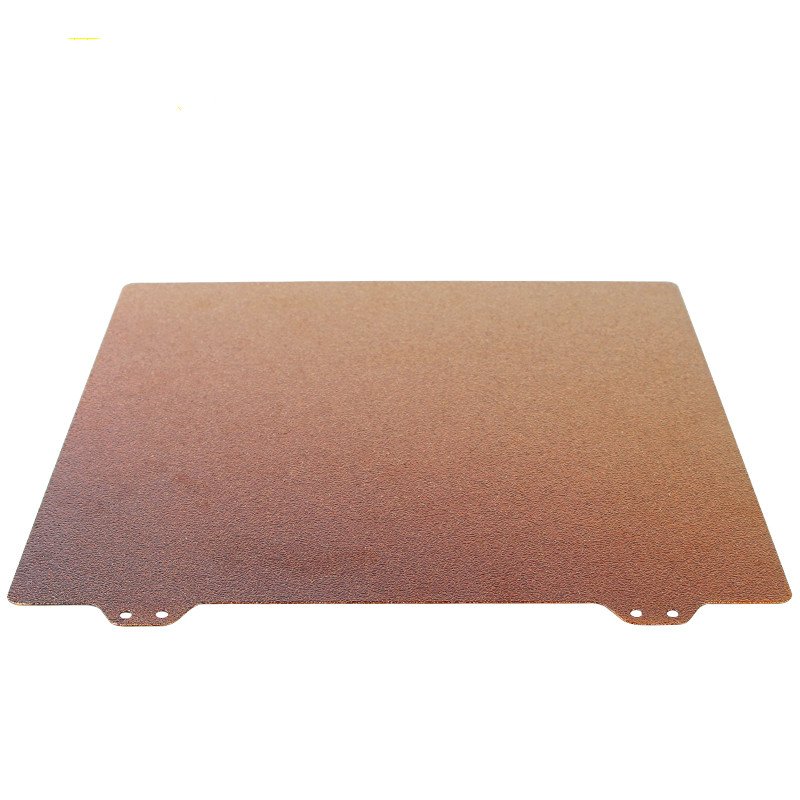
Why PEI build plate size and surface matter
A PEI build plate can make a printer feel easier to use, but only when the size, surface, and magnetic system match the printer. Many listings look close enough in photos, yet a few millimeters of difference can stop the plate from fitting correctly. A good build plate purchase starts with the bed dimensions and mounting system, then moves to surface texture and filament compatibility.
For adjacent compatibility checks, compare this guide with PLA vs PETG vs ABS: Which 3D Printer Filament Should You Buy? and Creality, Bambu Lab, Anycubic, and Prusa Parts: What to Check Before Buying before choosing a final product.
Do not guess the bed size
A few millimeters can stop a plate from seating correctly.
Shop PEI build plates and bed accessories
PEI build plate bed size is the first filter
The most common mistake is buying a plate that is almost the right size. Build plates are often sold in familiar dimensions such as 220 x 220 mm, 235 x 235 mm, 257 x 257 mm, 310 x 310 mm, or model-specific shapes. Measure the existing plate or check the printer documentation. Do not rely only on build volume; the physical plate size and the printable area can be different.
Also check cutouts, alignment notches, handle tabs, and rounded corners. Some printers use the same general bed size but different sheet details. A plate may sit on the bed but interfere with clips, end stops, purge lines, or enclosure clearance.
Smooth PEI and textured PEI feel different
Smooth PEI usually gives a cleaner bottom surface and can be good for parts where the first layer appearance matters. Textured PEI leaves a textured underside and can hide minor first-layer artifacts. Some materials release differently from smooth versus textured surfaces, so the best surface depends on the filament and the result you want.
Textured plates are popular for everyday PLA and PETG, but PETG can stick aggressively to some surfaces. Always follow the plate and filament guidance. If a material bonds too strongly, use a suitable release layer or choose a different surface.
PEI build plate magnetic base compatibility matters
Many PEI sheets are spring steel plates designed to attach to a magnetic base. Some listings include only the spring steel sheet; others include both sheet and magnetic sticker. If your printer already has a magnetic base, confirm whether the replacement sheet is compatible. If not, check whether the adhesive magnetic base fits your bed and temperature needs.
The magnet itself also has temperature limits. Printing higher-temperature materials on a weak magnetic system can reduce holding strength over time. For ordinary PLA, this may not matter much; for hotter materials, it becomes more important.
A build plate does not fix every first-layer problem
If prints fail because the bed is not leveled, the Z offset is wrong, the nozzle is dirty, or the filament is wet, a new plate may not solve the real issue. A good plate improves adhesion and release, but calibration still matters. Before replacing the plate, inspect whether the current problem is surface damage, adhesion inconsistency, poor leveling, or slicer settings.
Ruyee Supply uses conservative compatibility language because 3D printer parts often look similar while using different dimensions, thread types, voltages, connectors, and firmware expectations. If a listing does not explicitly confirm your exact printer model, treat it as a candidate and compare the measurements before checkout.
Smooth vs textured PEI
Surface finish changes the bottom texture and release behavior.
How to use this PEI build plate guide before checkout
Use this guide as a final filter before you add a product to the cart. Start with the printer or resin system you own, then compare the listing against the actual part you are replacing or the material you already use successfully. The best listing is not always the one with the lowest price; it is the one that makes the key dimensions, material, voltage, connector, size, or handling requirement easy to verify.
If you are buying a consumable, check the storage and use conditions as carefully as the product name. If you are buying a replacement part, compare the old part with the photos and specifications. For many 3D printer categories, one missing measurement can turn a good-looking product into the wrong product. When a product page does not answer an important fit question, choose a more specific listing or contact support before ordering.
For repeat purchases, save the confirmed specification after the first successful order. That makes future replacements faster and reduces the chance of mixing similar-looking parts from different printer families.
PEI build plate buying checklist
- Measure the physical plate, not only the advertised build volume.
- Check printer model, corner shape, tabs, notches, and clip clearance.
- Choose smooth PEI for a cleaner bottom finish and textured PEI for a textured underside.
- Confirm whether the listing includes a magnetic base or only the spring steel sheet.
- Check filament guidance, especially for PETG or hotter materials.
Build plate buying mistakes to avoid
- Buying a plate that is close in size but not exact.
- Assuming all PEI sheets include the magnetic base.
- Using PETG without checking release guidance.
- Replacing the plate when the real issue is Z offset or bed leveling.
PEI build plate frequently asked questions
Is textured PEI better than smooth PEI?
Neither is always better. Textured PEI leaves a textured underside; smooth PEI gives a cleaner bottom surface. Choose based on material and finish.
Can I cut a PEI plate to fit?
It is usually better to buy the correct size. Cutting spring steel or PEI can create fit, edge, and safety problems.
Does build volume equal plate size?
Not always. Check physical plate dimensions and printer model before ordering.
About this PEI build plate guide
Written by: Ruyee Supply Editorial Team. Last updated: September 2026.
Ruyee Supply writes buying guides for 3D printer owners who need practical replacement parts, consumables, and compatibility checks before ordering. We evaluate products by the details buyers can verify before checkout: printer model, part dimensions, material, voltage, connector type, package contents, and supplier listing clarity.
This guide uses conservative compatibility wording. A part may be a good candidate for your printer, but you should still compare the product listing with your printer manual, old part, slicer profile, or manufacturer documentation before purchase.
Sources and further reading
- Bambu Lab Wiki for printer, build plate, and maintenance documentation.
- Creality official blog and support resources for FDM printer parts, nozzles, and maintenance guidance.
- Formlabs Support for resin handling, resin printing, and safety references.
- UltiMaker Support for filament material guidance and FDM printing basics.